Open Notebook App: What It Is and How Does It Work
Writing notes digitally has become a daily habit for many people. Students, developers, writers, and even casual users prefer simple note apps instead of heavy tools. One such simple tool is the Open Notebook app.
Open Notebook is designed for people who want a clean and distraction-free way to write notes. It focuses on basic writing instead of complex features.
What Is an Open Notebook App
Open Notebook is an open-source note-taking application. This means its source code is publicly available, and anyone can review or contribute to it.
The app is mainly built for users who like plain text notes. It does not try to replace large apps like Evernote or Notion.
Its goal is to provide a lightweight notebook that feels simple and fast.
Why People Use Open Notebook
Many users prefer Open Notebook because it avoids clutter. There are no ads, no forced sign-ups, and no tracking.
People who enjoy writing without distractions find it useful. It opens quickly and focuses only on content.
The app is popular among users who like privacy and open-source software.
How Open Notebook Works
Open Notebook works like a digital notebook where you can create and store text notes. Once installed, you can start writing immediately.
Notes are saved locally on your device. This means your data stays with you and is not uploaded to any cloud by default.
The interface is straightforward, making it easy even for beginners.
User Interface and Writing Experience
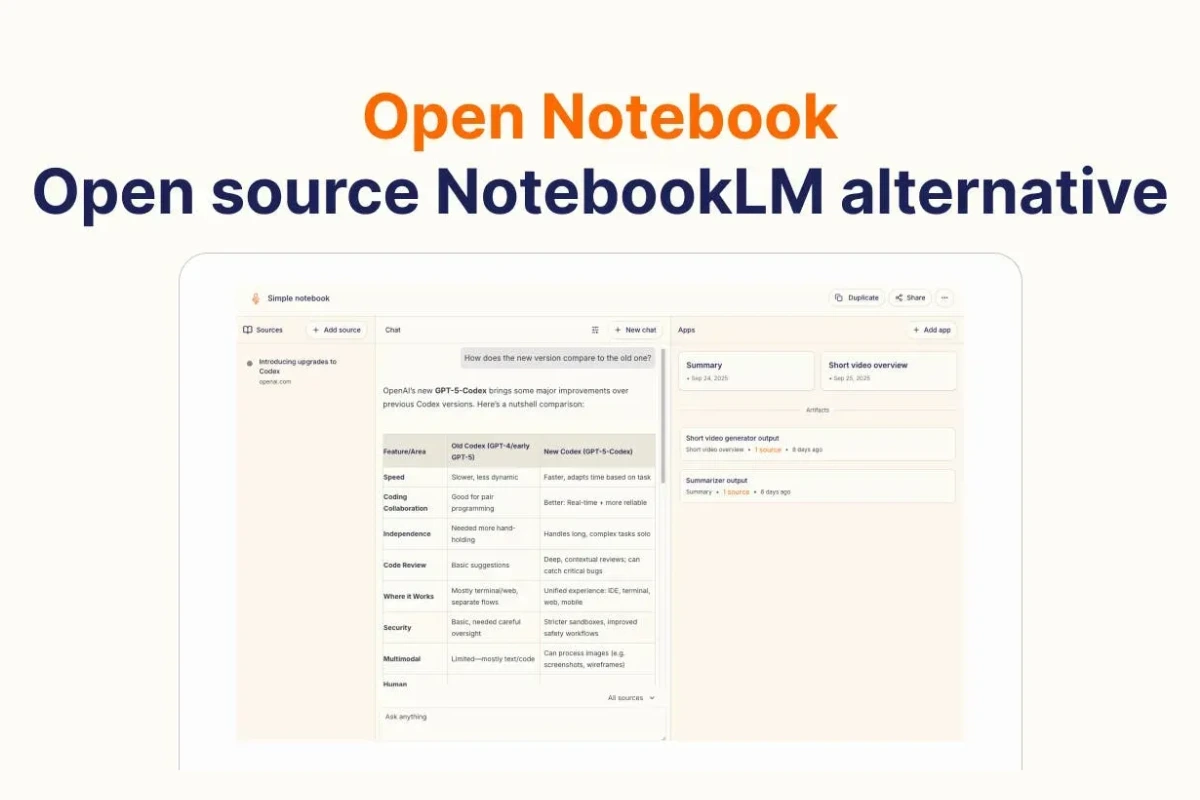
The interface of Open Notebook is clean and minimal. There are no unnecessary buttons or pop-ups.
You get a writing area where you can focus on text. This helps users write longer notes without distraction.
The simple layout makes it suitable for daily journaling and study notes.
Note Organization in Open Notebook
Open Notebook allows users to organize notes in a basic way. Notes can be created, edited, and saved easily.
It does not offer complex folders or tagging systems. This is intentional to keep the app lightweight.
Users who prefer simple organization usually find this approach comfortable.
Offline Usage and Privacy
One major benefit of Open Notebook is offline usage. You do not need an internet connection to write or access your notes.
Since notes are stored locally, privacy is better compared to cloud-based apps. There is no account creation required.
This makes it a good choice for users concerned about data security.
Platform Support and Availability
Open Notebook is mainly available for desktop platforms. It is commonly used on Linux systems, but can also work in other environments depending on the setup.
Because it is open-source, developers can modify it or adapt it to different platforms.
However, it is not designed as a mobile app like Google Keep.
Who Should Use the Open Notebook App
Open Notebook is ideal for users who want a no-nonsense note-taking tool. It suits writers, programmers, and students who like plain text.
People who dislike feature-heavy apps will appreciate its simplicity. It is also good for users who value open-source software.
It may not be suitable for users looking for collaboration features.
What Open Notebook Does Not Offer
Open Notebook does not include cloud sync by default. There is no built-in collaboration or sharing system.
It also does not support rich formatting like tables or embedded media. The focus is on text.
Users who need advanced productivity tools may find it limited.
Comparison With Other Note Apps
Compared to apps like Evernote or OneNote, Open Notebook is much simpler. It does not aim to be an all-in-one workspace.
Compared to basic text editors, it feels more organized and notebook-like.
This balance makes it attractive for minimal users.
Open Source Community and Development
Since Open Notebook is open-source, it relies on community contributions. Developers can improve or customize it.
Updates depend on contributors rather than a commercial company. This is common with open-source tools.
Users who support open software often prefer such apps.
Is Open Notebook Safe to Use
Based on public information, Open Notebook is considered safe. It does not collect user data or require online access.
Because it is open-source, the code can be reviewed for transparency.
Still, users should always download from trusted sources.
Real-World Use Cases
Many people use Open Notebook for journaling. Others use it for writing code notes or daily to-do lists.
Some students use it for lecture notes because it loads fast.
It is especially useful when working offline.
Final Thoughts on Open Notebook App
Open Notebook is not meant for everyone. It is built for users who value simplicity and control over their notes.
If you want a clean, offline, and open-source note app, Open Notebook is worth trying.
If you need cloud sync, teamwork, or advanced formatting, you may want another tool.