CoverFlowFinder vs Google Photos: Which One Is Better for You?
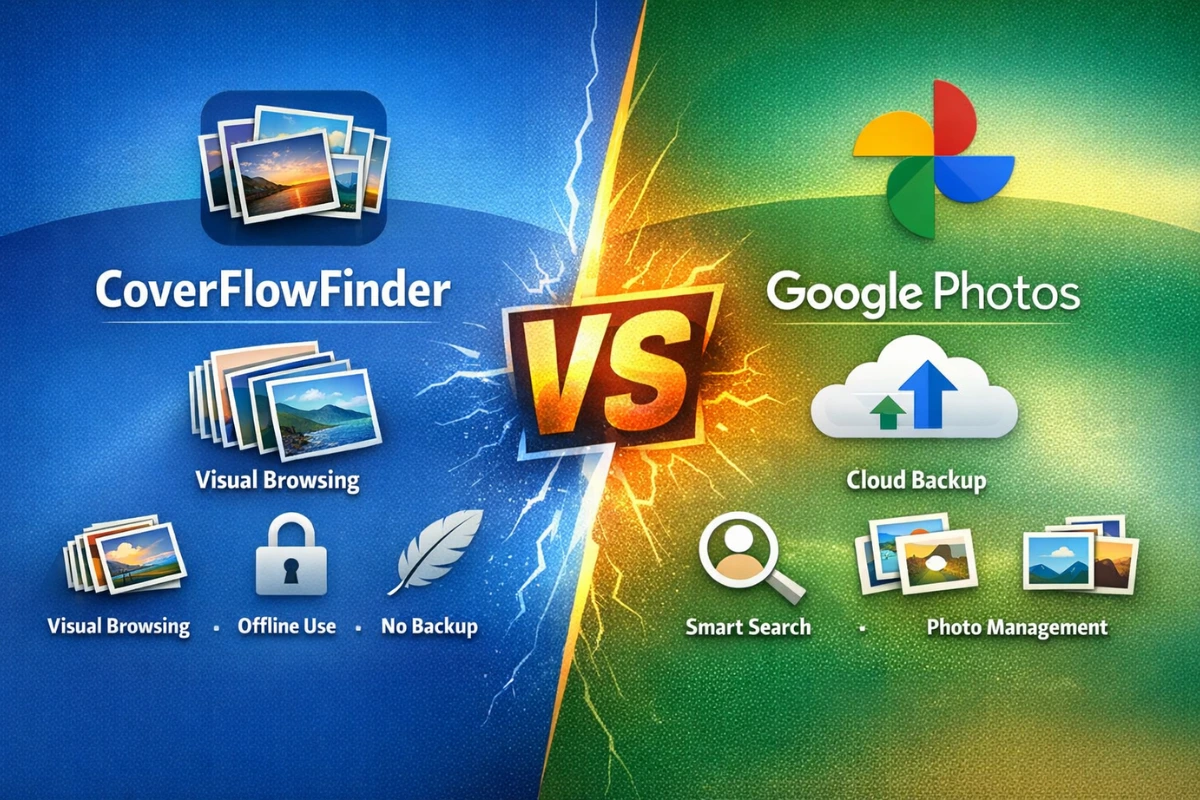
Many Android users want a better way to view and manage their photos on their phones. Some people care more about how photos look while browsing, while others want safety, backup, and easy searching. Two apps that often come up in this discussion are CoverFlowFinder and Google Photos.
While both apps deal with photos, they are built for very different purposes. One focuses on visual style and offline browsing, while the other focuses on storage, organization, and cloud features.
This comparison explains how they work, what they are good at, and which type of user should choose which app based on real usage.
CoverFlowFinder vs Google Photos: Comparison Table
| Feature | CoverFlowFinder | Google Photos |
|---|---|---|
| Primary Purpose | Visual photo browsing | Photo storage & management |
| Cloud Backup | No | Yes |
| Account Required | No | Yes (Google account) |
| AI Search & Albums | No | Yes |
| Best For | Casual visual browsing | Daily photo management |
What Is CoverFlowFinder?
CoverFlowFinder is a visual browsing app made for Android users who enjoy stylish photo viewing. Its main purpose is to show images in a cover-flow-style layout, where photos appear like moving cards that you swipe left or right.
The app focuses more on how photos look while browsing rather than managing or editing them. It does not include cloud backup, AI tools, or advanced sorting features.
CoverFlowFinder is simple, lightweight, and mostly used for casual visual exploration. It feels more like a showcase tool than a management app.
It does not replace a full gallery app. Instead, it works more like a visual finder that helps you browse existing photos in a different way.
What Is Google Photos?
Google Photos is a full photo and video management platform developed by Google. It combines gallery viewing, cloud backup, editing tools, and smart search in one place.
When backup is enabled, Google Photos automatically uploads images and videos to the cloud. This helps users keep their memories safe even if they change or lose their phone.
The app organizes photos using face recognition, locations, objects, and dates. This makes searching for old photos very easy.
Google Photos is designed for long-term photo storage and daily use. Many Android users rely on it as their primary photo app.
Main Difference in Purpose
The biggest difference between these two apps is purpose. CoverFlowFinder is mainly about visual browsing and style. Google Photos is about photo management, backup, and organization.
CoverFlowFinder shows photos attractively and animatedly, but does not manage them deeply. It does not help with backup or advanced organization.
Google Photos manages, organizes, backs up, and syncs photos across devices. It is built to handle thousands of photos over many years.
Because of this, the two apps are not direct replacements for each other. They serve different needs.
User Interface and Browsing Experience
CoverFlowFinder’s interface is minimal and animation-focused. Swiping through photos feels smooth and stylish, especially on newer Android phones with good hardware.
The cover-flow layout makes browsing feel fun and different from standard grid views. It is more about enjoying the visuals than finding a specific photo quickly.
Google Photos uses a clean grid layout that most users are familiar with. It prioritizes speed, clarity, and easy access to tools.
If you care more about aesthetics and presentation, CoverFlowFinder feels more playful. If you care about efficiency and fast access, Google Photos feels more practical.
Storage and Backup Capabilities
CoverFlowFinder does not provide any cloud backup features. All photos stay on the device, and the app only displays what is already stored locally.
If you delete a photo from your phone, CoverFlowFinder cannot recover it. It simply shows what exists on your device.
Google Photos offers cloud backup, syncing across devices, and recovery options. You can access your photos from other phones or computers.
For long-term safety and data protection, Google Photos is clearly far ahead.
Privacy and Account Requirements
CoverFlowFinder does not require login or account creation. This makes it appealing to users who prefer offline use and minimal data sharing.
Since it works locally, there is no cloud processing involved. This gives users more control over their personal data.
Google Photos requires a Google account and connects to Google’s ecosystem. Photos are processed and stored on Google servers when backup is enabled.
Privacy-focused users who dislike cloud services may prefer CoverFlowFinder’s offline nature.
Editing, Search, and Smart Features
CoverFlowFinder does not include editing tools, smart search, or AI features. It simply displays photos visually without modifying them.
There are no filters, cropping tools, or automatic albums. The app keeps things basic and focused on browsing.
Google Photos includes built-in editing tools, smart albums, face recognition, and object search. You can search for things like “beach” or “dog” easily.
For users who want advanced features and smart organization, Google Photos offers much more.
Performance and Device Impact
CoverFlowFinder is lightweight and runs well on most mid-range Android devices. It does not run many background processes.
However, because it uses animations, it may feel slower on older phones with limited hardware power.
Google Photos is optimized for performance, but it can use storage, internet data, and background resources due to syncing.
Battery usage is generally higher with Google Photos when cloud backup is enabled, especially on large photo libraries.
CoverFlowFinder App for Android: What It Is and How It Really Works
Which One Should You Choose?
Choose CoverFlowFinder if you want a simple, offline, and visually attractive way to browse photos occasionally.
Choose Google Photos if you want full photo management, cloud backup, smart search, and long-term storage.
Some users even use both: Google Photos for storage and CoverFlowFinder for visual browsing.
In Short
CoverFlowFinder and Google Photos serve different needs. One is about style; the other is about function.
Neither is better for everyone. The right choice depends on how you use your photos.
Knowing this difference helps you avoid disappointment and pick the right tool.