
Acer Nitro V 17 AI Review: Big Screen Gaming Laptop for Work and Play
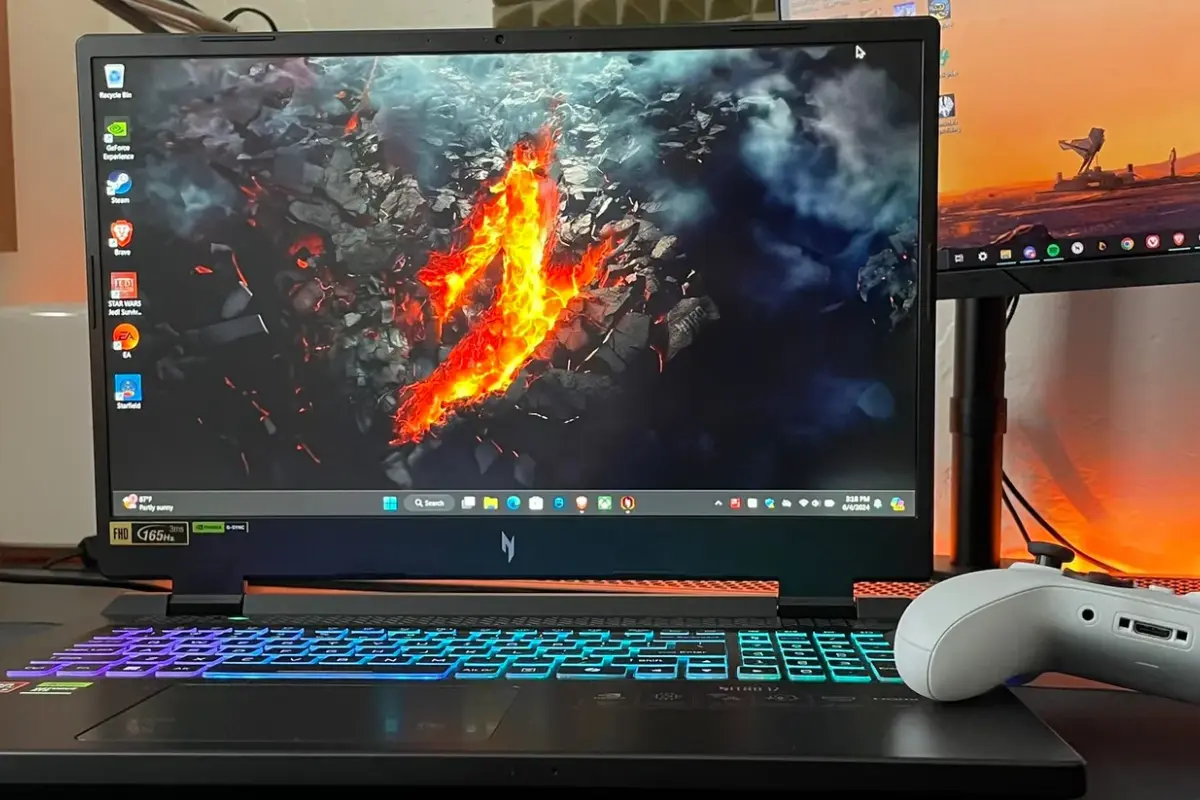
Acer Nitro laptops have always been popular among people who want good performance without paying premium gaming laptop prices. The Acer Nitro V 17 AI continues this idea but adds modern hardware, AI-based features, and a bigger display. It is designed for users who want a mix of gaming, productivity, and daily use.
This review explains how the Acer Nitro V 17 AI performs in real life, what it offers, and who should consider buying it.
Design and Build Quality
The Acer Nitro V 17 AI comes with a clean and modern design. It does not look too flashy like some gaming laptops, which is a good thing for students and office users. The body is mostly plastic, but it feels solid and well-built.
The 17-inch size makes the laptop bigger and heavier than normal laptops. It is not meant to be carried around daily, but for desk or home use, the size feels comfortable. The hinge is strong, and the overall finish looks premium for its price range.
Display and Visual Experience
The laptop features a 17.3-inch display, which is one of its biggest highlights. The large screen is great for gaming, watching movies, editing content, and multitasking.
The display offers good brightness and clear colors for everyday use. While it may not match high-end professional screens, it performs well for gaming and media consumption. The high refresh rate makes gameplay smoother and scrolling more fluid.
For users who enjoy immersive visuals, the large screen adds a lot of value.
Performance and AI Capabilities
The Acer Nitro V 17 AI is powered by modern processors and dedicated graphics, depending on the configuration. It handles daily tasks like browsing, coding, office work, and media playback very smoothly.
Gaming performance is solid for mid- to high-level settings in most popular games. The laptop is designed for casual and mid-level gamers rather than extreme competitive gaming. Frame rates remain stable, and loading times are fast.
AI features help with performance optimization, power management, and background tasks. These AI-driven improvements help the system stay efficient during long usage sessions.
Gaming Experience
Gaming on the Acer Nitro V 17 AI feels smooth and enjoyable. The large display gives better visibility, and the keyboard layout is comfortable for long gaming sessions.
Popular games run well with good graphics settings. The cooling system does a decent job of managing heat during extended gaming, although fans can get loud under heavy load.
For gamers who want a big-screen gaming laptop at a reasonable price, this model offers good value.
Keyboard and Touchpad
The keyboard on the Acer Nitro V 17 AI is comfortable and responsive. Key travel is good, making it suitable for both gaming and typing. The backlit keyboard helps when using the laptop in low-light environments.
The touchpad is smooth and accurate. While most gamers will prefer using a mouse, the touchpad works well for daily tasks and navigation.
Overall, the input experience is reliable and user-friendly.
Battery Life and Charging
Battery life on a 17-inch gaming laptop is usually limited, and this laptop is no exception. The Acer Nitro V 17 AI offers average battery life for its category.
For normal tasks like browsing and watching videos, it can last a few hours. Gaming and heavy workloads will drain the battery faster, so it is best used while plugged in.
Fast charging support helps reduce downtime, which is useful for users who move between locations.
Cooling and Thermal Management
Cooling is an important factor for gaming laptops, and Acer has worked on improving airflow in the Nitro V series. The cooling system keeps temperatures under control during gaming and heavy tasks.
Fans do become audible during intense use, but this is expected in this segment. The laptop remains stable and avoids major thermal throttling.
Good thermal management ensures long-term performance and reliability.
Ports and Connectivity
The Acer Nitro V 17 AI offers a good selection of ports. Users get USB ports, HDMI, audio jacks, and other essential connections. This makes it easy to connect external monitors, storage devices, and accessories.
Wireless connectivity is stable, with fast Wi-Fi performance and Bluetooth support. Online gaming, video calls, and downloads work without issues.
The port placement is practical and does not interfere with mouse movement during gaming.
Audio and Webcam
The speakers are decent for casual use. Sound quality is clear but not very loud or bass-heavy. For gaming or movies, using headphones or external speakers gives a better experience.
The webcam is suitable for video calls and online classes. It is not meant for professional streaming, but it works fine for regular communication.
Who Should Buy the Acer Nitro V 17 AI
This laptop is ideal for:
-
Students who want a powerful laptop for study and gaming
-
Casual and mid-level gamers
-
Users who prefer a large display
-
People who want good performance at a reasonable price
It may not be the best choice for users who travel a lot or need long battery life.
Pros and Cons
Pros
-
Large 17.3-inch display
-
Good gaming and daily performance
-
AI-based optimization features
-
Comfortable keyboard
-
Competitive pricing
Cons
-
Heavy and less portable
-
Average battery life
-
Fans can get loud during gaming
Final Verdict
The Acer Nitro V 17 AI is a solid large-screen gaming laptop that balances performance, display size, and price. It is not the most powerful gaming laptop on the market, but it offers great value for everyday users and gamers.
If you want a big-screen laptop that can handle gaming, work, and entertainment without spending too much, the Acer Nitro V 17 AI is worth considering. It delivers reliable performance and modern features in a practical package.